 Jesse Befus
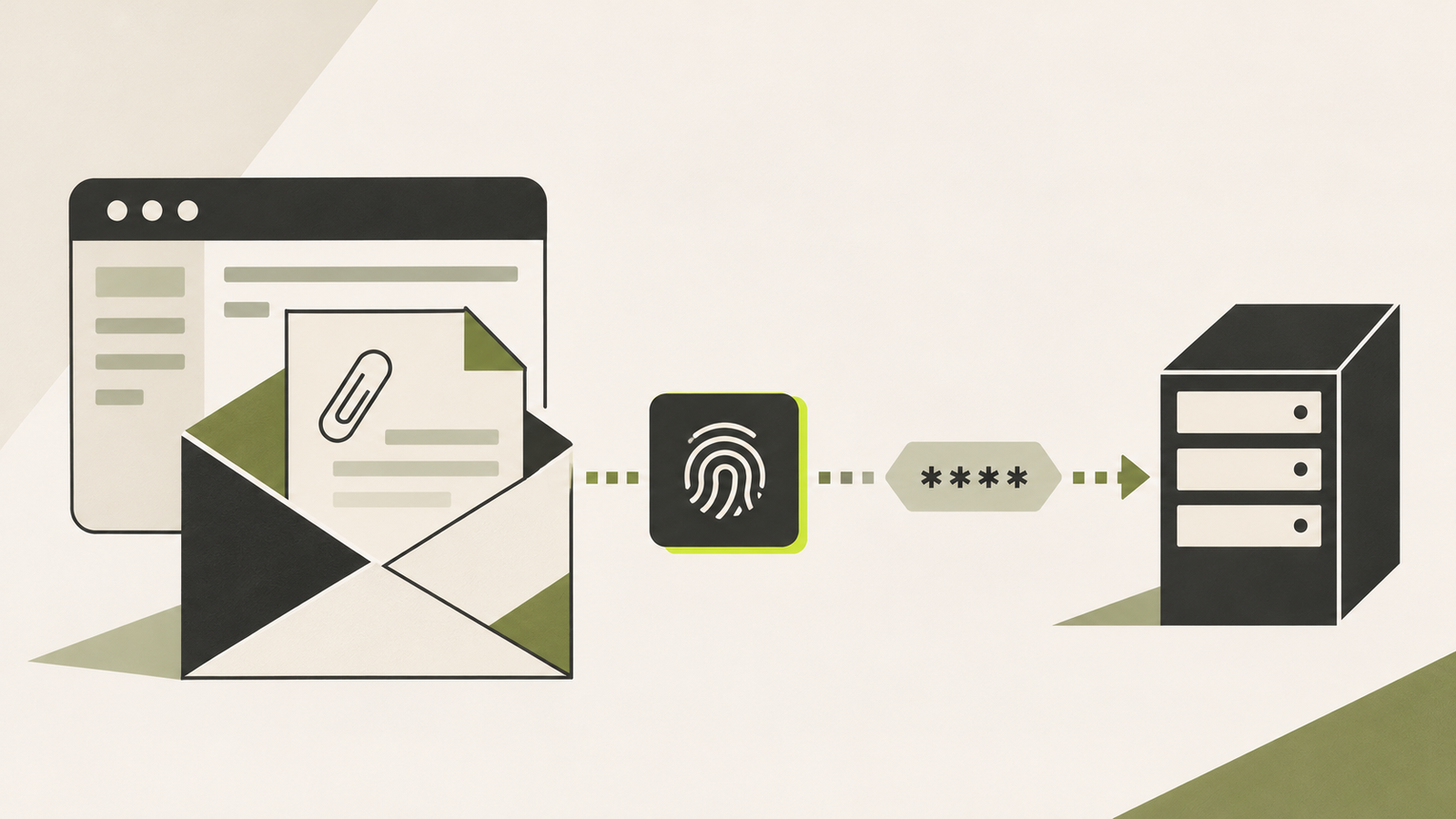
Outlook had a rough Thursday.
A note on timing: Microsoft released a fix for this on November 10. By the time you’re reading this, it may already have been patched on your device or across your organization. That’s good news, but it’s worth confirming the updated Office build is actually installed. The underlying behaviour is still worth understanding.
On November 12, Microsoft was dealing with a widespread Exchange Online outage. People couldn't access their mailboxes, businesses were scrambling, and an uncomfortable number of us were reminded how much of the workday depends on email.
Around the same time, another Outlook story started circulating. Microsoft had patched a vulnerability earlier in the week that attackers were already exploiting to capture Windows authentication information.
Naturally, people started asking whether the outage and the vulnerability were connected. There's no confirmed evidence that they are. Microsoft described service infrastructure problems in its outage updates, while the vulnerability is a separate problem in the Outlook application.
It's perfectly possible for Outlook to have two problems at once. An impressive achievement, if not one I'd put on a product roadmap.
The security issue is CVE-2026-124194. Microsoft released a fix on November 10, assigned it a CVSS score of 6.5, and confirmed that exploitation had been detected. The U.S. Cybersecurity and Infrastructure Security Agency (CISA) added it to its Known Exploited Vulnerabilities catalogue.
What interests me is the actual behaviour. Someone opens a file in Outlook, and the application can end up giving a stranger information that belongs to their Windows authentication process.
That's worth understanding.
First, what is Windows actually sending?
Windows has several ways to authenticate users to other systems. One of the older ones is NTLM, which still appears in plenty of corporate environments, especially around older applications, file shares and services that haven't fully moved to newer authentication methods.
The idea behind NTLM is fairly straightforward. A server asks the computer to prove that a user knows their password, without the computer sending the password itself. It does this through a challenge-and-response exchange.
Imagine someone says, "If you really have the right key, prove it by answering this specific challenge." Your computer uses information derived from your credentials to produce an answer. The other system can then check whether the answer is valid.
That answer isn't the password, but that doesn't mean it's safe to share with absolutely anyone who asks.
In this case, Microsoft describes the information exposed as an NTLMv2 hash. More precisely, it's useful to think about the challenge-response material involved in an NTLMv2 authentication exchange. An attacker who captures it may be able to misuse it, depending on how the environment is configured and what other protections are in place.
So no, opening a bad Outlook file doesn't automatically email someone your plaintext password. The actual problem is more interesting than that, and potentially serious enough on its own.
How does Outlook get involved?
An attacker creates a specially crafted file and convinces someone to open it in an affected version of Outlook.
While processing that file, Outlook may connect to a network location controlled by the attacker. Normally, Outlook should warn the person before taking certain unsafe actions involving external content. The vulnerability allows that connection to happen without the usual warning.
When the computer reaches the remote service, Windows may try to authenticate. The attacker can then receive authentication information that should never have been offered to an untrusted system in the first place.
The sequence is roughly:
- An attacker sends a specially crafted file.
- Someone opens it in Outlook.
- Outlook connects to an attacker-controlled network location without its normal warning.
- An NTLMv2 authentication response may be exposed, giving the attacker material they could potentially misuse.
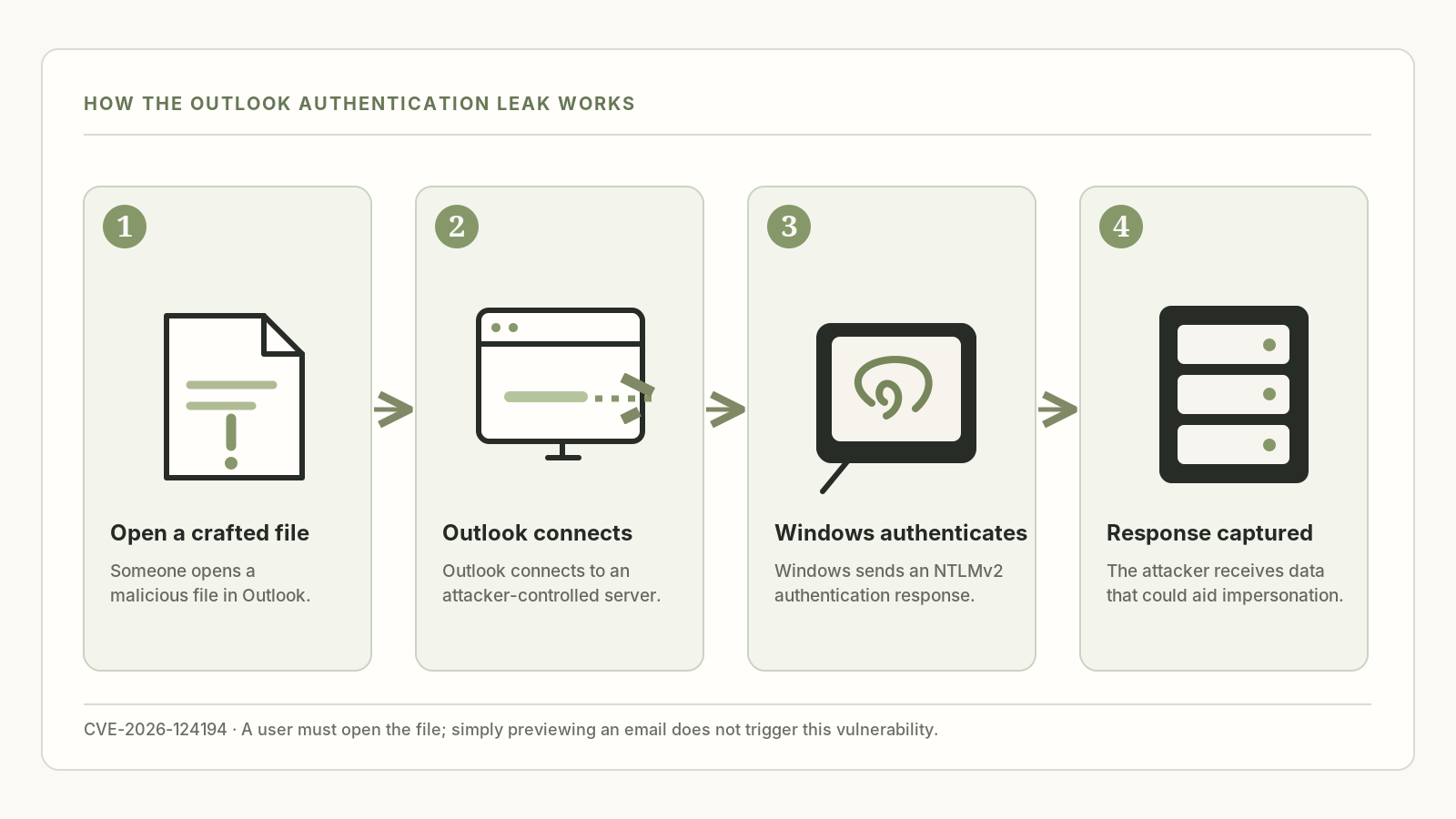
There's an important detail here: this isn't a zero-click attack. Microsoft's advisory says the user has to open the malicious file. It also explicitly says Outlook's Preview Pane is not an attack vector.
That might sound like a small distinction, but it matters. There's a meaningful difference between an attack that happens when a message simply arrives and one that requires someone to open a file. Both can be dangerous; they aren't the same thing.
And the interesting part isn't that Outlook opened something malicious. It's what the application did afterward, on behalf of the user, without making the decision visible to them.
Can the attacker actually log in as you?
Potentially, but it's not automatic.
Capturing an NTLMv2 authentication response doesn't give an attacker universal access to a Windows account. What they can do with that information depends on how it was captured, what systems they can reach, whether authentication relay is possible, and whether the credentials are susceptible to offline guessing.
Some environments will make follow-on abuse much harder than others. Protections such as SMB signing, restrictions on outbound NTLM, appropriate network filtering and more modern authentication methods can all make a difference.
I'd be careful with headlines that collapse all of that into Outlook leaks your password. That's easier to read, but it's not quite what happened.
Still, I wouldn't take much comfort in the fact that additional conditions may be necessary. An attacker doesn't necessarily need your password if they can find another way to convince a service they're you.
That's the part identity teams should care about.
Moderate severity. Active exploitation. Now what?
A CVSS score of 6.5 is the kind of thing that can disappear into a long vulnerability backlog.
I can imagine someone looking at a dashboard and thinking: Moderate. We'll get to it during the next maintenance window.
But the score isn't the whole story. Microsoft has confirmed exploitation, and CISA has put the vulnerability in its Known Exploited Vulnerabilities catalogue. Its November 24 remediation deadline applies to covered U.S. federal agencies, not every organization, but it's a useful indication of the urgency.
The right response isn't to ignore scoring. It's to treat scoring as one input alongside real-world activity, exposure and business impact.
I'd also want to know whether the relevant Office update actually reached the machines that need it. Microsoft lists affected versions of Microsoft 365 Apps for enterprise and Office LTSC 2021 and 2024. This is an Office update, not something I'd assume was fixed because Windows installed its latest cumulative patch.
A successful deployment report is helpful. A verified patched Office build is better.
The questions I'd ask
Patching is the first job. It isn't the only one.
I'd want to understand how many workstations still permit outbound NTLM authentication to external systems. Do we know which applications genuinely depend on it? Are we able to restrict that traffic without breaking something important?
That last question is the part nobody enjoys. NTLM is old, but "old" and "unused" are not synonyms. Turning it off everywhere without knowing the dependencies is a reasonable way to turn a security improvement into an incident.
I'd also look at what our detection tools can tell us. If Outlook processes an unusual file and the computer immediately establishes an unexpected connection to an external service, can we see that? If authentication activity follows, can we connect the events? Those signals wouldn't prove this vulnerability was exploited on their own, but they'd give an investigation somewhere useful to start.
And I'd want our security teams to be clear about the role of MFA here. Modern, phishing-resistant authentication makes a lot of attacks harder. It doesn't automatically remove every legacy Windows authentication mechanism an organization still allows.
We can keep telling people not to open suspicious files. That's fine advice. But I don't think an employee's ability to recognize a carefully crafted Outlook file should be our primary defence against an unwanted Windows authentication exchange.
The thing I keep coming back to
This vulnerability isn't especially interesting because Outlook is in the headlines. It's interesting because a familiar application can cause the computer to offer authentication information to a server the person never intended to sign in to.
Outlook is supposed to help people read and manage their email. Negotiating Windows authentication with a stranger seems like a fairly generous interpretation of that job description.
The patch fixes the specific behaviour. I'd still want to understand the larger environment: where NTLM is permitted, which services depend on it, and what stops a computer from offering credentials when an application makes an unexpected connection.
That's the question I'd be asking after the patch is installed.
References & further reading
Advisory, technical context, and reporting behind this perspective.
- Microsoft Security Response Center — CVE-2026-124194 ↗Microsoft’s description, affected products, exploitation status and patch details.
- Cyber Security News — Active exploitation of Outlook ↗Reporting on active exploitation.
- SOC Prime — Technical overview ↗Details of the authentication exposure and detection considerations.
- CISA — Known Exploited Vulnerabilities ↗The government catalogue of known exploited vulnerabilities.
- PLAY 103.7 — November 12 Outlook coverage ↗Reporting on Microsoft 365 disruption and the Outlook security story.